A notes app in handwriting fonts
Every note in Washi Notes is written out in a handwriting font, on a paper color you pick. It still works like a proper notes app, with labels, checklists, pins and search.
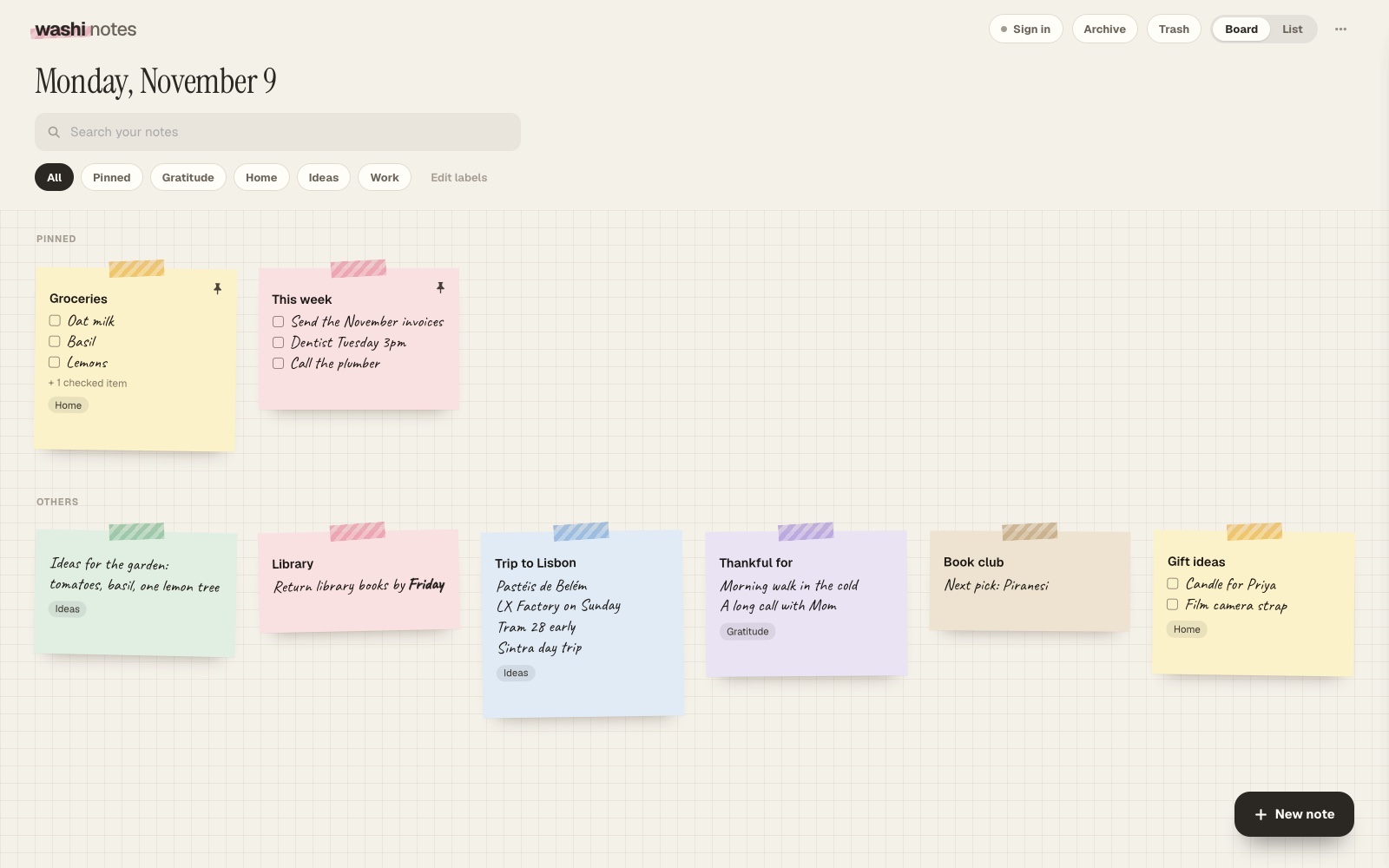
The handwriting
Caveat comes free. Washi Pro adds five more: Patrick Hand, Kalam, Marker, Pen and Felt tip.
The paper
Each note can be one of six colors. The board behind them can be grid, dots or plain, with five more paper styles in Pro. Strips of washi tape hold each note to the board, and you can hide them if you’d like a cleaner look.
Everything else you’d expect
- Labels, and search across titles, text, checklist items and labels
- Checklists that move checked items to the bottom
- Pinned notes, a board or list view, Archive and Trash
- Works offline, and installs to the Mac Dock or iPhone Home Screen
Questions
Can I use my own handwriting?
Not yet. Notes are typed and shown in one of six handwriting fonts.
Which handwriting is free?
Caveat. The other five come with Washi Pro, which is $12 once.
Open Washi Notes
Free. Washi Pro is $12 once, for both Washi Notes and Washi Deck.